Dental group websites: structure locations, providers and services so every office ranks
A hub-and-spoke structure for dental group websites: location pages, provider pages, service pages, schema per office, and what to centralise versus keep local.
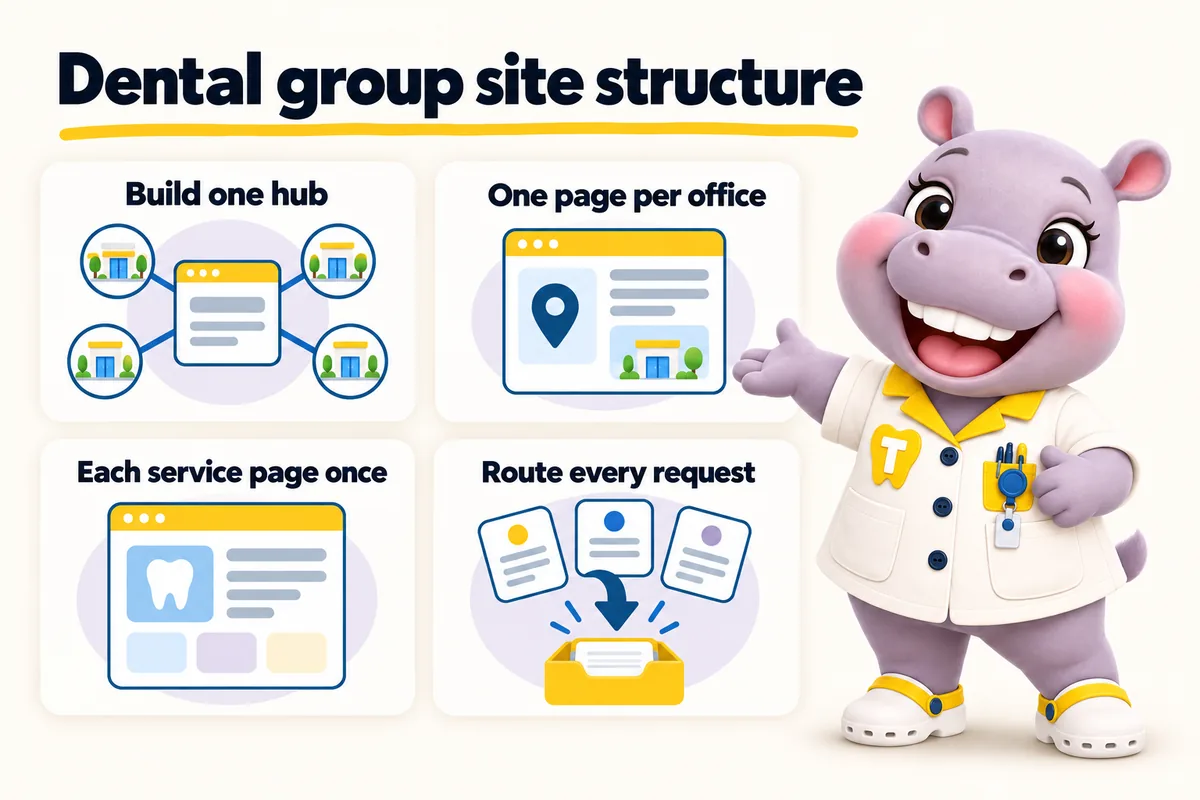
A dental group website ranks office by office when every office has a page of its own, every provider has a page linked to the offices they work at, every service has one group-level page that names the offices offering it, and each office page carries its own structured data that matches its Google Business Profile. That is the whole answer. The rest of this article is how to build it, what to centralise, what to keep local, and how to move to it without losing what already ranks.
Why most dental group websites rank one office and hide the rest
Most group websites rank one office because they were built for one office. The founding practice launched a site, a second office opened, and it became a paragraph on the contact page with a second address and a phone number. A third office followed the same way. By the time the group had six locations, the site had one home page, one set of service pages, one team page listing everyone, and a contact page with six addresses.
Search engines rank pages, not paragraphs. When someone in a suburb searches for a dentist near them, the engine looks for a page that is about a dental office in that suburb. A paragraph on a contact page is not that. The founding office, whose address is in the header and footer and whose name is in the title of every page, gets the ranking. The others are invisible, and their front desks stay quiet while the flagship turns away patients who would have driven to the nearer office if they had known it existed.
The fix is structural. It is not a new design and it is not more content on the existing pages. It is a site whose shape matches the shape of the group.
Hub and spoke, explained for a dental group
A hub-and-spoke site is one domain and one brand that carries a page per office, a page per provider and a page per service, with a home page and a finder that point patients to the right spoke. The hub is the group. The spokes are the offices.
What the hub carries
The hub carries everything that belongs to the group rather than to one office: the brand, the home page, the story of the group, the service pages written once, the blog, the insurance and financing overview, the careers page, and the tool that takes a patient from a service and a town to the nearest office. Reviews left for any office are reviews of the brand, so they pool. Articles written about any service build authority for the domain, so they pool too.
What each spoke carries
Each spoke is a location page, and it carries everything a patient needs to walk into that office: the street address and a map link, parking and the entrance to use, hours for each day of the week, the providers who work there and on which days, the services offered at that office, the insurance plans accepted there, the phone number of that front desk, and a booking request that goes to that front desk. It carries its own structured data describing that office and nothing else.
When one site per location is the better structure
One site per location is the better structure when the offices trade under different names, serve markets far enough apart that no patient would consider both, or need to stay separable because an office might be sold or rebranded. In that structure each office has its own domain and its own site with the same page shape underneath, and nothing pools. A group that is really a holding company for unrelated practices usually wants this. A group that is one brand with several front doors usually wants a hub.
The decision is rarely difficult once you look at how the offices are named and where their patients come from. If they share a name, build a hub. If they do not and never will, build separate sites. If they share a name today but the plan is to sell two of them in three years, a hub with clean per-office pages can still be split later with redirects, so start with the hub. We describe both structures on the page for multi-location dental groups, and the finder and the per-office routing are identical in either.
Location pages: the unit of local ranking
The location page is the page that ranks an office for the town it is in. Everything else on the site supports it. Build it as if it were the only page that office had.
The address, the hours and the map
State the full street address as text, not only in an image or a map embed. Add the suite number if there is one, the nearest cross street if patients get lost, and a plain description of parking and the entrance. Hours go on the page as a table with one row per day, including days the office is closed, because a closed day stated is more useful than a day omitted. Holiday closures are added and removed as they happen.
The address, phone number and hours on the page must match the office Google Business Profile exactly. Google’s guidelines for representing a business ask for the name, address and phone to reflect the real-world business consistently, and mismatches between the profile and the website are one of the most common reasons an office fails to show up where it should. Treat the profile and the location page as two views of the same record.
The providers who work at this office
List the clinicians who work at this office, with their photo, their role, and the days they are there. Link each to their provider page. A patient who found the office by town wants to know who they will see; a patient who found the provider by name wants to know where. The location page answers the first and links to the second.
For groups whose providers rotate between offices, this is the section that goes stale fastest. It should be a weekly update, not an annual one, and someone should own it.
The services offered here
Not every office offers every service. An implant surgeon works from two of the six locations. Sedation is available at three. Pediatric appointments run at one. The location page lists the services offered at that office and links each to the group-level service page. The service page, in turn, lists the offices where the service is offered and links back. This two-way link is how a patient who searched for a service in a town ends up at the right office, and how a search engine understands that the office is a real place where that service happens.
The booking request for this office
Every location page has a request form or a request button, and every request from it carries the office. It is delivered to that office’s front desk system or to the group CRM with the office identified. It does not go to a shared inbox to be forwarded. A location page that ranks well and sends its requests to the wrong office has still lost the patient.
Structured data per office
Each location page carries structured data describing that office. Google’s documentation on local business structured data describes the properties: the business name, address, telephone, opening hours, geographic coordinates and a URL. Schema.org provides the Dentist type, a specialisation of the more general local business types, which is the right type for a dental office page.
The structured data on an office page describes that office only. It uses the office’s own name as it appears on its Google Business Profile, the office’s own address and phone, and the office’s own hours. The group is described once, at the organization level, and each office is linked to it as a branch. This is the part most group sites get wrong: they put one block of structured data on every page describing the whole group, which tells the search engine nothing about any individual office.
Provider pages: completing the path from search to chair
Provider pages exist because patients look up the person before they book the chair. Someone referred to a specific periodontist searches that name. Someone who read a review mentioning a hygienist searches that name. Someone choosing between two orthodontists in the group wants to compare them. A provider page answers each of these and sends the patient to the right office.
What a provider page carries
A provider page carries the clinician’s name and photo, their role, the offices they work at and the days they are at each, the services they offer, a plain-language biography supplied and approved by the practice, and education and memberships stated as the practice states them. It carries a booking request that lets the patient pick the office. It carries Person structured data tied to the office or offices where the provider works.
What a provider page does not carry
A provider page does not carry outcome claims, success rates, comparisons of clinical quality or anything that reads as a promise about treatment. Those are clinical claims and belong to the practice’s own compliance decisions, not to a website builder. The page describes who the person is and where to find them. It does not describe what will happen to a patient’s mouth.
Why provider pages matter beyond name searches
Provider pages give location pages and service pages something specific to link to. A service page for dental implants that says the service is offered at two offices by three named surgeons, each linked, is more useful to a patient and more convincing to a search engine than a service page that says implants are offered. The links are the structure. Provider pages are a large part of what makes the structure real.
Service pages: write once, point to the offices
Service pages are written once, at group level, and each one lists the offices and providers that offer that service. This is the rule that groups most often break, and breaking it costs them.
The duplicate problem
When a group writes a service page per office, it ends up with six pages about dental implants that say the same thing with a different town name in the title. Search engines see near-duplicate content and pick one to show, often not the one the group wanted, and the rest compete with it rather than adding to it. Patients who land on the wrong one are confused about which office to call.
One service page, written well, with a section that says where the service is offered and by whom, avoids the duplication and gives the page a reason to exist for every office at once.
Where per-office differences go
Real differences between offices belong on the location page, in the services section, or in a short local note on the service page. If the downtown office offers sedation for implant surgery and the northside office does not, the downtown location page says so under its services, and the implant service page’s list of offices notes it against the downtown entry. The service page itself stays one page.
What a service page is for
A service page explains what the service is, what a consultation involves, how to prepare, what happens afterwards in general terms, what questions to ask, and how to book. It is general information written for patients and families. It is not a diagnosis or a treatment plan, and it should say so. Anything about a particular patient’s case is for the clinician. A page written this way is useful to the reader, defensible for the practice, and easy for the finder to point to.
The finder: from a service and a town to the right chair
A group site needs a tool that takes a patient from a service and a town to the nearest office offering that service, its providers, its hours and a request. Without it, the patient has to open six location pages and work it out. With it, the site does the work.
The finder reads the same records the location pages read. An office that offers a service appears for that service; an office that does not, does not. Hours shown are today’s hours from the location record. Providers shown are the ones at that office for that service. The request the patient sends carries the office, the service and the provider if one was chosen, and is delivered to that office. This is the location and provider finder built into every ChairsideWeb site, and it is configured per practice type on the onboarding call. Orthodontic groups set it up around free consultations by office; oral surgery practices add a referring-dentist route; pediatric groups ask for the child’s age and route after-hours requests differently.
What to centralise and what to keep local
Centralise the brand, the service content, the blog, the policies, the finder and the routing rules. Keep local the address, the hours, the providers on site, the services offered at that office, the insurance accepted there, the photos of that office, and the destination for that office’s requests.
Centralise
Brand system, design and tone. Service pages and articles. The privacy policy, patient forms and any group-wide policy. The finder and the logic that decides where a request goes. The organization-level structured data. The decision about hub or separate sites.
Keep local
Everything a patient needs to walk into a specific office: address, parking, hours, phone, the team on site, the services and sedation options offered, the plans accepted, and a few photos of the actual building and reception. The office-level structured data. The destination system for that office’s requests. A short local story if the office has one, written as that office’s story rather than the group’s.
Who owns the local layer
The local layer goes stale unless someone owns it. In a group, that is usually an operations lead who gathers changes from office managers weekly, or a rule that any office manager can send a change directly. Either works. What does not work is a page builder login that nobody at the group wants to use, so hours drift for months. A managed site with weekly detail updates exists for exactly this: the change is emailed, applied to the page, the schema and the finder together, and confirmed.
Moving to a hub without losing what ranks
A group moving from several sites, or from one site with an address list, to a hub can keep what already ranks if the move is done with a page map and redirects.
Map every existing page
List every page on every existing site. For each, decide its new address on the hub: a location page, a provider page, a service page, or the home page if it has no equivalent. Pages that rank for something keep a page that answers the same intent. Pages that never ranked and answer nothing can redirect to the closest relevant page.
Redirect the old addresses
Google’s documentation on redirects describes a permanent redirect as the strongest signal that a page has moved, and asks that redirects point to the most relevant new page rather than all to the home page. Set a permanent redirect from every old address to its mapped page on the hub. Keep old office domains registered and redirecting for as long as any patient or directory might still use them.
Carry across what belongs to the office
Reviews are attached to the Google Business Profile, not the website, so they stay with the office when the site moves. Provider biographies, office photos and any office-specific content move to the new location and provider pages. The profile’s website link is updated to point at the office’s location page on the hub rather than at the old site or the hub home page.
Watch the offices that never had a page
The offices that were paragraphs on a contact page have never ranked for anything, so they have nothing to lose and a page to gain. In our experience these are the offices that change most visibly after a move to a hub, because for the first time there is a page about them. That is an observation about structure, not a promise about any particular office; the terms set out what is guaranteed and what is not.
Speed is part of the structure
Every one of these pages is a front door, and a slow front door is a closed one. Google’s web vitals documentation describes the metrics it uses to judge loading, interactivity and visual stability. A group site with many pages built on a page builder with plugins for maps, sliders and chat will be slow on every one of them, and the slowness compounds across offices.
The structural answer is to build the pages as static files served from the edge, with almost no JavaScript, images sized for their slots and fonts that swap in. A location page built this way opens on a weak mobile connection in a car park, which is where a good share of dental searches happen. The features page describes how ChairsideWeb sites are built and what the PageSpeed guarantee covers.
Putting it together: a worked shape for a six-office group
Take a general dentistry group with six offices under one name, two of which also offer implants, one of which sees children, and eleven clinicians who rotate. The hub is one domain. It carries a home page with the finder, a locations index, six location pages, eleven provider pages, one service page per service the group offers, a new patients page, an insurance page with per-office differences noted, a blog and the policies.
Each location page lists its own hours, its own clinicians for each day, the services offered there, the plans it accepts, and a request routed to its own front desk. The implants service page lists the two offices and the surgeons who work there. The pediatric page lists the one office and its two pediatric dentists. Each location page carries Dentist structured data for that office; the home page carries Organization data for the group once.
The finder takes a service and a town to the nearest of the six that offers it. Requests from it go to that office. Weekly, the operations lead sends changes: a Saturday clinic added at one office, a hygienist moving from northside to westgate, a plan dropped at downtown. Each is applied to the page, the schema and the finder together.
That is a group website that ranks office by office. It is not a bigger single-practice website. It is a different shape, and once the shape is right, the rest is upkeep.
Where to start
Start with the structure decision: hub or one site per location. Then map what exists, build the location pages first because they are the unit of ranking, add provider pages, consolidate service pages to one per service, and connect the finder and the routing. If your group is a DSO-affiliated practice working inside a parent brand, the same shape applies with the brand system supplied from above and the local layer kept by the office.
If you would rather see it built than build it, book a demo. We walk through a hub built for a group like yours, decide the structure on the call, and put your offices into the finder before we finish. Plans and the build fee, which is invoiced only after the site is live, are on the pricing page.
Sources
Frequently asked questions
Should a dental group have one website or one per location?
Most groups do better with one hub website that carries a page per office, because reviews, articles and brand authority pool in one place while each office still gets its own address, hours, providers and schema. One site per location makes sense when offices trade under different names, serve distant markets or must stay separable for a sale.
What should a location page for a dental office include?
The street address, a map link, parking and entrance notes, opening hours per day, the providers who work at that office, the services offered there, the insurance plans it accepts, and a booking request that goes to that office rather than a shared inbox. It should also carry its own Dentist structured data.
Do provider pages help a dental group rank?
Provider pages help patients who search for a clinician by name find the right office, and they give location and service pages something specific to link to. They are less about ranking a keyword and more about completing the path from a search to a booked chair.
Should service pages be written per office or once for the group?
Once for the group, with a section listing the offices and providers that offer the service. Writing the same service page for each office produces near-duplicate pages that compete with each other. Per-office differences belong on the location page or in a short local note on the service page.
What structured data should each dental office page carry?
Each location page should carry Dentist structured data with that office name, address, phone number, opening hours and geographic coordinates, matching the office Google Business Profile exactly. Provider pages carry Person data tied to the office, and the group carries Organization data once.
Want a site like the one described here? Book a demo with ChairsideWeb.