Everything in the fee
Everything included in a ChairsideWeb site
Every dental website feature in the fee, explained for a group with more than one front desk. Most are on every plan; the AI Engine and the Content Engine sit on the larger ones. Start with the plain-words summary below, or jump to a feature.
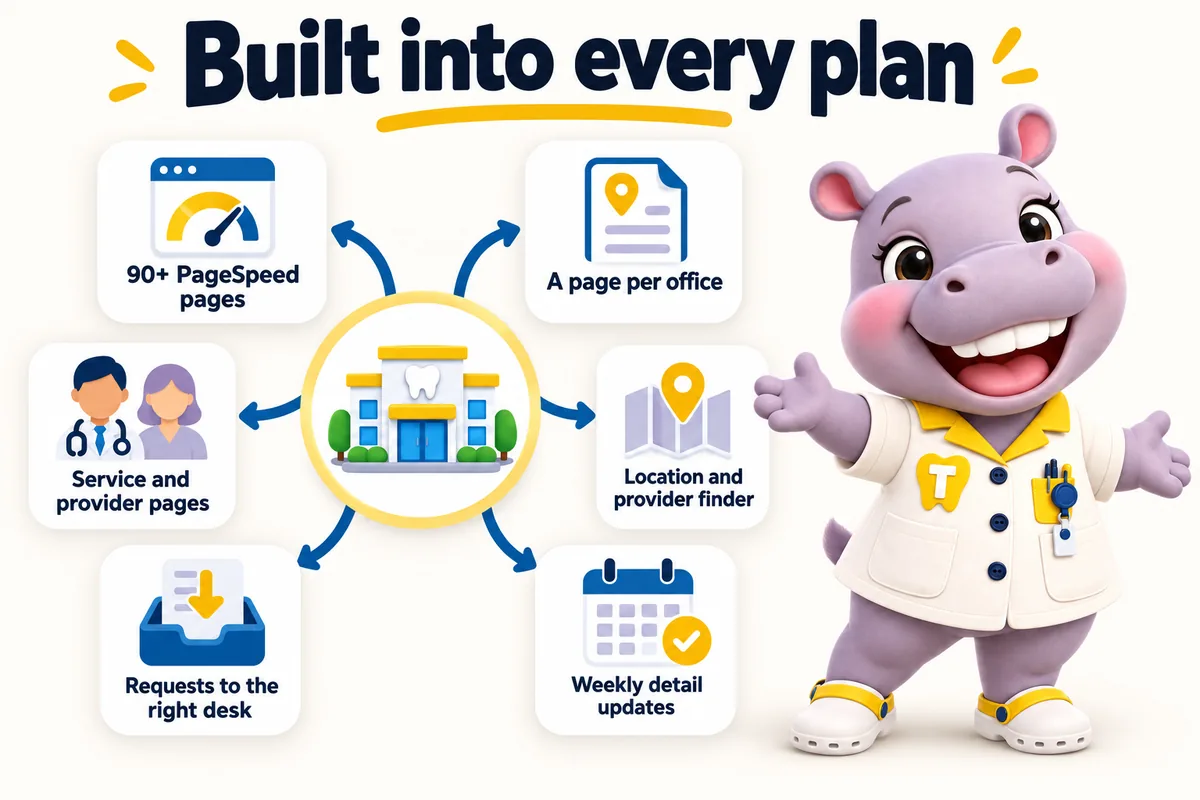
What's in each plan
Every feature in plain words, and which plan has it
What each feature does, the everyday problem it removes, what you have to do (usually nothing), and which plan carries it.
- Chairside $137/ month
- Operatory Suite $297/ month + usage
- Group $747/ month
The website
A page for every officeChairsideOperatory SuiteGroup
- What it does
- Each location gets its own page with address, hours, parking, providers, services and its own dental business schema.
- The problem it removes
- Satellite offices hidden in an address list never show up for their own town.
- What you do
- Tell us your offices on the onboarding call.
Service and provider pagesChairsideOperatory SuiteGroup
- What it does
- A page per service and per clinician, each linked to the offices where it happens.
- The problem it removes
- Patients cannot tell which office offers implants or which dentist works on Saturdays.
- What you do
- Send provider bios and the services each office offers.
Location and provider finderChairsideOperatory SuiteGroup
- What it does
- A patient picks a service and a town and gets the nearest office, its providers, today's hours and a request button.
- The problem it removes
- Front desks spend calls explaining which office is closest.
- What you do
- Nothing beyond the onboarding answers.
90+ PageSpeed pagesChairsideOperatory SuiteGroup
- What it does
- Hand-coded static pages served from Cloudflare's edge, fast on mobile and desktop, guaranteed.
- The problem it removes
- Slow pages lose patients, and paid clicks, before the phone number appears.
- What you do
- Nothing.
SEO, AEO, GEO and schemaChairsideOperatory SuiteGroup
- What it does
- Technical and on-page SEO, answer-first copy, visible FAQs, an llms.txt file and structured data generated from the page data.
- The problem it removes
- Search engines and AI assistants cannot cite what they cannot parse.
- What you do
- Nothing.
Running it for you
Booking requests routed per officeChairsideOperatory SuiteGroup
- What it does
- Every form and finder request carries the office, provider and service and lands in that office's CRM or practice system by API, Zapier or Make.
- The problem it removes
- A shared inbox means the wrong office calls back, or nobody does.
- What you do
- Tell us where each office wants its requests.
Weekly detail updatesChairsideOperatory SuiteGroup
- What it does
- Hours, closures, providers, insurance plans and office notes applied every week to the page, schema and finder together.
- The problem it removes
- Wrong hours send a patient to a closed door.
- What you do
- Email the change from any office. It does not use a revision.
5 revisions a monthChairsideOperatory SuiteGroup
- What it does
- Any size of change, across every office, completed within 2 to 5 working days. Extra revisions $20 each.
- The problem it removes
- Small changes wait months when nobody owns the site.
- What you do
- Raise it in your client portal or by email.
Researched articles every weekChairsideOperatory SuiteGroup
- What it does
- 2 a week on the first two plans, 3 on the third, 2,500 to 3,200 words each, with cited sources.
- The problem it removes
- The blog stopped the month after launch.
- What you do
- Nothing. Review any article if you want to.
Hosting, SSL, backups, domainChairsideOperatory SuiteGroup
- What it does
- Cloudflare hosting with SSL, CDN and DDoS protection, backups and monitoring, plus a free domain registered in your name.
- The problem it removes
- Hosting renewals, SSL lapses and a domain held by a former vendor.
- What you do
- Nothing.
Client portal and a person who repliesChairsideOperatory SuiteGroup
- What it does
- Revisions, support tickets, files and messages in one place. A person replies within one working day.
- The problem it removes
- Requests lost in email threads.
- What you do
- Log in to the portal, never to the website.
AI Engine
AI receptionistChairsideOperatory SuiteGroup
- What it does
- Answers calls a front desk cannot get to, per office, knows each office's hours, providers and services, and takes the booking request.
- The problem it removes
- Calls during procedures and after hours go to voicemail and are not returned in time.
- What you do
- Approve the script for each office before it goes live.
Site chatChairsideOperatory SuiteGroup
- What it does
- Answers questions on the website and sends requests to the office the patient chose. Loads after the page is interactive.
- The problem it removes
- Visitors with a quick question leave instead of calling.
- What you do
- Approve the answers it may give.
SMS, Messenger and Instagram repliesChairsideOperatory SuiteGroup
- What it does
- Replies to texts and social messages and routes booking requests per office.
- The problem it removes
- Slow replies on social lose patients who message instead of calling.
- What you do
- Connect your pages once.
Call-analysis PDFChairsideOperatory SuiteGroup
- What it does
- Shows what patients asked, which office they wanted and where calls were missed.
- The problem it removes
- Nobody knows when the phones go unanswered.
- What you do
- Read it.
A2P 10DLC registration filedChairsideOperatory SuiteGroup
- What it does
- The carrier registration needed to text patients from a business number, filed by us, carrier fees passed through at cost.
- The problem it removes
- Unregistered business texts get filtered or blocked.
- What you do
- Supply the business details we ask for.
Content Engine
3 social posts and 2 reels a weekChairsideOperatory SuiteGroup
- What it does
- Built from your approved photos and the articles we already write, tagged to the office they are about.
- The problem it removes
- Nobody at the practice has time to post.
- What you do
- Approve the style once on the onboarding call.
Google Business Profile managed per officeChairsideOperatory SuiteGroup
- What it does
- Hours, services, providers, photos and posts kept in step with each location page. New reviews flagged, replies drafted for your approval.
- The problem it removes
- Map listings and the website disagree about the same office.
- What you do
- Approve review replies.
3 articles a weekChairsideOperatory SuiteGroup
- What it does
- One more researched article a week than the other plans, 2,500 to 3,200 words each.
- The problem it removes
- Several offices and specialties need more to rank for.
- What you do
- Nothing.
Feature 01 of 10
Pages that open instantly
Hand-built static pages served from the edge, 90+ PageSpeed guaranteed on every office page.
Why speed is the first feature for a group site
A group site has more pages than a single practice, and every one of them is a front door for a different office. A slow hub punishes all of them at once. We hand-build every page, ship almost no JavaScript, and serve each one as a static file from Cloudflare's edge, so the downtown location page opens as fast as the home page. Patients searching between appointments on a phone get the office, the hours and the request button before they think about leaving. We guarantee a 90+ PageSpeed score on mobile and desktop, and we fix any page that drops below it because of our work at no charge.
What we leave out on purpose
No page-builder plugins, no third-party sliders, no chat bubbles that load before the content, no tracking scripts you did not ask for. Fonts load with swap, images are sized for the slot they sit in, and the finder is a small vanilla script rather than a framework. The result is a site that stays fast after launch rather than one that passed an audit once and then slowed as widgets piled up. When the AI Engine chat is enabled on a plan, it loads after the page is interactive, so the score holds.
Feature 02 of 10
Location pages, hub or standalone
One page per office with its own address, hours, providers, services and schema, on a hub or on its own domain.
One page per office, never one page for all of them
Each office in your group gets its own page: street address, map link, parking and entrance notes, opening hours per day, the providers who work there, the services offered at that office, the insurance plans it accepts and a booking request that goes to that office's front desk. Search engines rank office pages, not a group page with a list of addresses, and patients trust a page that names the clinician they will see. Every location page carries its own Dentist schema so each office can appear on its own in local results.
Hub and spoke, or one site per location
On a hub, location pages live under one domain and one brand, so reviews, articles and authority pool while each office keeps its own page. With one site per location, each office gets its own domain and its own site, which suits groups whose offices trade under different names or may be sold separately. We build both, explain the trade-offs on the demo, and keep the same finder and routing whichever you pick. Groups that later change their mind can move between the two structures with redirects rather than a rebuild.
Kept accurate week by week
Location details are the facts most likely to go stale in a group: a Saturday clinic that stopped, a provider who moved offices, a new suite number after a relocation. Weekly detail updates exist for exactly this. Email the change from any office manager and it is live within the week, without a revision being used and without anyone at your group logging in. Hours on the page, hours in schema and hours in the finder always match, because they come from the same record.
Feature 03 of 10
Service and provider pages
A page for every service you offer and every clinician who offers it, linked to the offices where it happens.
Service pages that know which offices offer them
A service page on a group site does two jobs: it explains the service in plain language and it tells the patient where to get it. Each service page lists the offices that offer it and the providers who perform it, and the finder is embedded on the page pre-set to that service. Content is general information written for patients, never a diagnosis or treatment plan, and it is written once at group level with office-specific notes where they differ, so the pages do not compete with each other in search.
Provider pages patients actually read
Patients look up the person before they book the chair. Each provider page carries the clinician's photo, the offices and days they work, the services they offer, a plain-language bio you supply and approve, education and memberships as you state them, and a booking request that goes to the office the patient chooses. Provider pages are linked from every location and service page they belong to, and each carries Person schema tied to the office, so a search for a clinician by name finds the right page.
Feature 04 of 10
Location and provider finder
A patient picks a service and a town and gets the nearest office, its providers, its hours and a booking request routed to that front desk.
From a service and a town to the right chair
The finder is the niche tool built into every ChairsideWeb site. A patient chooses what they need, for example clear aligners or a dental implant consultation, types a town or zip, and sees the nearest offices that offer that service, with distance, today's hours, the providers who perform it there and a request button. It lives on the home page, on every service page pre-set to that service, and on the hub's locations page. No app, no account, no map that has to load before anything appears.
Every request goes to the office that will see the patient
When the patient sends a booking request from the finder, it is tagged with the office, the provider if they picked one, and the service, and delivered to that office's front desk system or your group CRM by API, Zapier or Make. Nothing lands in a shared inbox. A confirmation goes to the patient with the office address, and the front desk gets a note with everything they need to call back. If an office changes its CRM, the routing changes for that office only.
Configured per practice type
The finder is set up for the way your specialty is booked. An orthodontic group lists free consultations by office; an oral surgery practice adds a referring-dentist field and asks for the referral slip; a pediatric group asks for the child's age and the parent's preferred contact; an implant center offers consultation and second-opinion requests separately. The practice type pages on this site describe the setup for each, and we adjust it on the onboarding call.
Feature 05 of 10
Booking requests into your front desk system
Every form, finder request and call note lands in the right office's CRM or practice system, by API, Zapier or Make.
Routing by office, not by group
A group site generates requests for many front desks, so the first rule is that each request reaches the office it belongs to. Forms on location pages, requests from the finder and, on plans with the AI Engine, bookings taken by phone or chat all carry the office, the service and the provider. We connect each office to its own destination, whether that is the practice management system's web form, a group CRM with an office field, or a shared system with per-office pipelines. If two offices share a desk, they share a destination.
Short forms that ask only what the desk needs
Forms ask for a name, a phone number, the preferred office, the service and a preferred time. Insurance details, medical history and anything clinical are left for the front desk to collect on the call or through your own patient intake, so patients finish the form and you stay clear of collecting health information on a marketing site. Every submission gets a confirmation to the patient, a notification to the office, and a copy in the CRM with the page it came from, so you can see which office pages and articles produce requests.
Feature 06 of 10
Weekly detail updates
Hours, providers, insurance plans, closures and office notes applied every week across all offices, without using revisions.
The small facts that go wrong across many offices
The most common complaint about a group site is not the design, it is that one office's Thursday hours are wrong and a patient turned up to a locked door. Weekly detail updates are our answer. Every week we apply the changes your offices send: opening hours, holiday closures, a new hygienist, a provider now at two offices, an insurance plan you stopped accepting, a new suite number. They are applied to the page, the schema and the finder together. They do not count against your revisions.
How offices send them
Any office manager can email a change to us directly, or your operations lead can send one list for the group. We confirm what we applied each week so the group has a record. If you prefer, we run a short monthly call to gather changes from every office at once. There is no portal to learn and nobody at your group logs in to anything. Larger changes, such as a new service page or a redesigned location page, are revisions, and five of those are included every month.
Feature 07 of 10
Researched articles for patients
Two researched articles a week on Chairside and Operatory Suite, three a week on Group, each 2,500 to 3,200 words with cited sources.
Articles that answer what patients actually type
Patients search for what a procedure involves, what it costs in general terms, how to prepare, what recovery is like and how to choose a provider. Our editorial team writes long-form, answer-first articles on those questions, each 2,500 to 3,200 words, researched from real sources and citing them on the page. Every article is general information for patients and families, says so, and points readers to your providers for anything about their own care. It never gives dental or medical advice and never makes a clinical claim on your behalf.
Scoped to an office or a specialty
An article can be about a specialty across the group, such as a guide to dental implants for people with missing molars, or about one office, such as what to expect at your pediatric location's first visit. Each article links to the relevant service page, the providers who offer it and the finder pre-set to that service, so the article sends the reader somewhere useful. Two articles a week on Chairside and Operatory Suite, three a week on Group, and you can review any article before or after it goes live.
Feature 08 of 10
Managed hosting and domain
Cloudflare hosting, SSL, backups, monitoring and a domain in your name, all inside the monthly fee with nothing itemized.
Nothing for your group to maintain
Hosting is on Cloudflare as static pages served from the edge. SSL, backups, monitoring and the caching that keeps every office page fast are included and never appear as a separate line. There is no server to patch, no plugin to update and no login for anyone at your group. If a page ever falls below the guaranteed PageSpeed score because of our work, we fix it at no charge. Fully managed means we run the site; you run the practices.
Domains stay yours
We register a domain in your group's name at no extra charge, or point the one you already own. Existing office domains can redirect to their location page on the hub, or stay as standalone sites if you choose one site per location. On cancellation the domain is transferred to you on request and you receive an export of your content and articles within 14 days, so nothing you paid to have written is lost.
Feature 09 of 10
AI Engine
An AI receptionist, site chat, SMS, Messenger and Instagram replies, per-office booking and a call-analysis PDF, with A2P 10DLC filed for you.
Every front desk answered, even the one that is busy
On Operatory Suite and Group, the AI Engine answers calls a front desk cannot get to, answers chat on the site, and replies over SMS, Messenger and Instagram. It knows each office's hours, providers, services and accepted insurance, takes booking requests and sends each to the office the patient chose. It is configured per office, so a flagship can keep its own desk answering first while a satellite routes everything after hours. It never gives dental advice and hands anything clinical to a person.
What you see and what is filed for you
A call-analysis PDF shows what patients asked, which office they wanted and where calls were missed, so you can staff around the pattern. Text messaging to patients requires carrier registration, known as A2P 10DLC; we file it for you and pass carrier fees through at cost. AI usage, meaning the minutes and messages your offices actually consume, is billed monthly in arrears at cost, with no minimum and no bundle to guess at. You review every script before it goes live.
Feature 10 of 10
Content Engine
Three articles a week, three social image posts a week, two reels a week and your Google Business Profiles managed, per office.
A content stream that runs office by office
Group adds the Content Engine: three researched articles a week instead of two, three social image posts a week, two short reels a week and managed Google Business Profiles for every office. Posts and reels are built from your approved photos and the articles we already write, so they say the same thing the site says, and each is tagged to the office it is about. Nothing clinical, nothing that promises an outcome, nothing you have not approved the style of on the onboarding call.
Google Business Profiles that match the site
Each office's Google Business Profile is kept in step with its location page: hours, services, providers, photos and posts, so a patient who finds the office on a map sees the same facts as the one who finds it on the site. Weekly detail updates feed both. Reviews are monitored and you are told when one needs a reply from the office; we draft replies for you to approve but we never post on a clinical matter without you.
SEO, AEO, GEO
What SEO, AEO, GEO and schema mean on your site
The search work built into every page, explained without jargon. None of it is an add-on.
Technical SEO
Static pages, clean URLs, a sitemap index, robots rules, canonical tags, fast loading and mobile layouts, set up before launch and kept that way.
On-page SEO
One clear topic per page, with a title, description and headings written for what patients actually search, and internal links between offices, services and providers.
Location pages for your own offices
Every office you run gets its own page for its own town, with address, hours, providers and services. That is how a group earns local search traffic office by office instead of only for the flagship.
AEO: answers engines can lift
Answer-first paragraphs, question-shaped headings and visible FAQ blocks, so your pages can be pulled into featured snippets, voice answers and AI summaries.
GEO: citable by AI assistants
Consistent office names and facts, an llms.txt file and plainly stated details make your group easier for assistants such as ChatGPT, Claude, Perplexity and Google AI Overviews to cite. No one can guarantee an AI answer; we make it more likely.
Schema and JSON-LD
Structured data for the organization, each office as a dental business, services, providers, FAQs and breadcrumbs, generated from the same data as the page so it never drifts. Review markup is added only for real reviews.
Speed and ads
Every page held at 90+ PageSpeed
Fast pages keep more of the paid clicks you already buy, and Google counts landing-page experience as part of ad quality. See it on a live site in the demo; the $797 build fee waits for launch.
Built in, not bolted on
The compliance pages your site comes with
A dental website carries obligations a brochure site does not. These ship with every plan, written for your practice and reviewed by you before launch.
These pages and practices help you meet common US requirements for a dental practice website. They are not legal advice, and we recommend your own counsel reviews the policies before launch. We are not a dental practice, dental group, dentist or healthcare provider, and we are not a law firm.
Privacy policy and terms
A privacy policy and site terms written around what your site actually collects, drafted for your review and your counsel's sign-off. Built with state privacy laws such as the CCPA in California in mind.
Cookie policy with consent that really gates scripts
Analytics and marketing tags load only after a visitor agrees, and the cookie policy lists what the consent banner controls.
Accessibility statement and an accessible build
Real contrast ratios, visible focus states, keyboard navigation and alt text, built with the Americans with Disabilities Act (ADA) and WCAG 2.2 AA in mind, plus a statement telling patients how to report a problem.
No patient health information in forms
Request forms are designed not to collect health information. That keeps the website out of your HIPAA scope as far as a website can be, while your intake system handles records.
SMS consent wording
Where a form or the AI Engine sends texts, consent wording sits next to the phone field, and we file the A2P 10DLC carrier registration for you on plans with the AI Engine.
General-information disclaimers
Service pages and articles say they are general information, not a diagnosis or treatment plan, and send patients to your providers for anything about their own care.
Reviews
What groups say about the features they use
Most of our visitors are on phones, so that is where I reviewed the new dental office selection pages. The essentials are within the first screen, with an obvious way to inquire. It is far more practical than the old page when we share it with a caller.
Got Mobile navigation and page layout for dental office selection
Rashid TawilTreatment coordinator, Private dental practice
Columbia, South CarolinaConverting our dental office selection attachment into proper pages was overdue. I can send the exact section someone needs, and they can read it without downloading anything. A printable copy still exists for those who ask.
Got Structured reference pages for dental office selection
Gregory FrostPractice administrator, Multi-surgery family dental practice
Ann Arbor, MichiganThe time we spent on the dental office selection wording was time well spent. It explains what an inquiry achieves and is honest about what still needs a proper discussion. Customers arrive with realistic expectations, which changes the whole tone of the first call.
Got Service scope and expectations for dental office selection
Viola DuttonOffice administrator, Pediatric and family dental practice
Baton Rouge, Louisiana
What exactly does a ChairsideWeb site include for a dental group?
A ChairsideWeb site includes a page for every office, every provider and every service you offer, a location and provider finder that takes a patient from a service and a town to the right front desk, booking requests routed into that office's CRM or practice system, a free domain, managed hosting, 2 researched articles a week and weekly detail updates. It is designed, hand-coded, hosted and kept accurate by us on one monthly fee, with the $797 build fee invoiced only after launch.
What are weekly detail updates, and do they use up revisions?
Weekly detail updates are the small facts that go stale across many offices: hours, holiday closures, a new hygienist, an insurance plan you stopped accepting, a provider moving between locations. Send them from any office and we apply them each week to the page, the schema and the finder together. They do not count against your revisions. Revisions are for changes to pages and structure; detail updates are for keeping every office accurate.
Can articles be written for a specific office or a specific specialty?
Yes. An article can be scoped to one office, for example a piece on what to expect at your downtown implant center, or to a specialty across the group, such as a guide to clear aligners for adults. Either way it links to the relevant service page, provider pages and the finder, so the article does a job for the office it is about rather than sitting on a generic blog.
What does the AI Engine do for a group with several front desks?
On Operatory Suite and Group the AI Engine answers calls when a front desk cannot, answers site chat, replies over SMS, Messenger and Instagram, and sends each booking request to the office the patient picked. It knows each office's hours, providers and services, it never gives dental advice, and it hands anything clinical to a person. A call-analysis PDF shows you what patients asked. A2P 10DLC registration for texting is filed by us.
Can the AI receptionist be turned off for one office but not the others?
Yes. The AI Engine is configured per office. A busy flagship can keep its own front desk answering first and let the AI catch overflow, while a satellite office with a part-time desk can route everything to the AI outside its open hours. Each office keeps its own greeting, its own providers and its own booking destination.
Is hosting an extra cost?
No. Hosting is included in the monthly fee and is never billed separately, however many offices are on the site. Your site runs on Cloudflare's global network with SSL, CDN, DDoS protection and unmetered bandwidth included. There is no hosting invoice, no SSL renewal, no bandwidth overage and no surprise line in month four. There is also no server for anyone at your group to maintain.
Does anyone at our group need to log in to keep the site updated?
No. Fully managed means nobody at your group logs in to the website. Changes are raised in your client portal or sent by email, from head office or from an individual office manager, and we apply them. Weekly detail updates keep hours, providers and insurance current, and revisions cover everything larger. If you prefer a monthly check-in call to gather changes across offices, we run it.
Will our offices show up in ChatGPT, Perplexity or Google AI Overviews?
Nobody can guarantee that, and we do not. What we do makes it more likely: consistent office names and facts on every page, answer-first copy, visible FAQs, structured data for each office and service, and an llms.txt file that describes the site plainly. Assistants such as ChatGPT, Claude, Perplexity and Google AI Overviews tend to cite pages that state facts clearly and consistently, and that is how every page is written.
Which compliance pages come with the site?
A privacy policy, site terms, a cookie policy with a consent banner that really holds back analytics until a visitor agrees, an accessibility statement, general-information disclaimers on service pages and articles, and SMS consent wording wherever a form or the AI Engine texts patients. They help you meet common US requirements, built with the Americans with Disabilities Act (ADA) and WCAG 2.2 AA and state privacy laws such as the CCPA in California in mind. They are not legal advice, and we recommend your counsel reviews them before launch.
Do the request forms collect patient health information?
No. Request forms are designed to ask for a name, contact details, the office, the service and a preferred time, and nothing clinical. Medical history, insurance IDs and consent forms stay in your own intake system, which keeps health records off the website. We are not a law firm and this is not legal advice, so your compliance lead should confirm the setup fits your own obligations.
Next step
See the features on your own offices
A demo walks through a site built for your kind of group. Plans from $137 a month; the build fee is invoiced after launch.